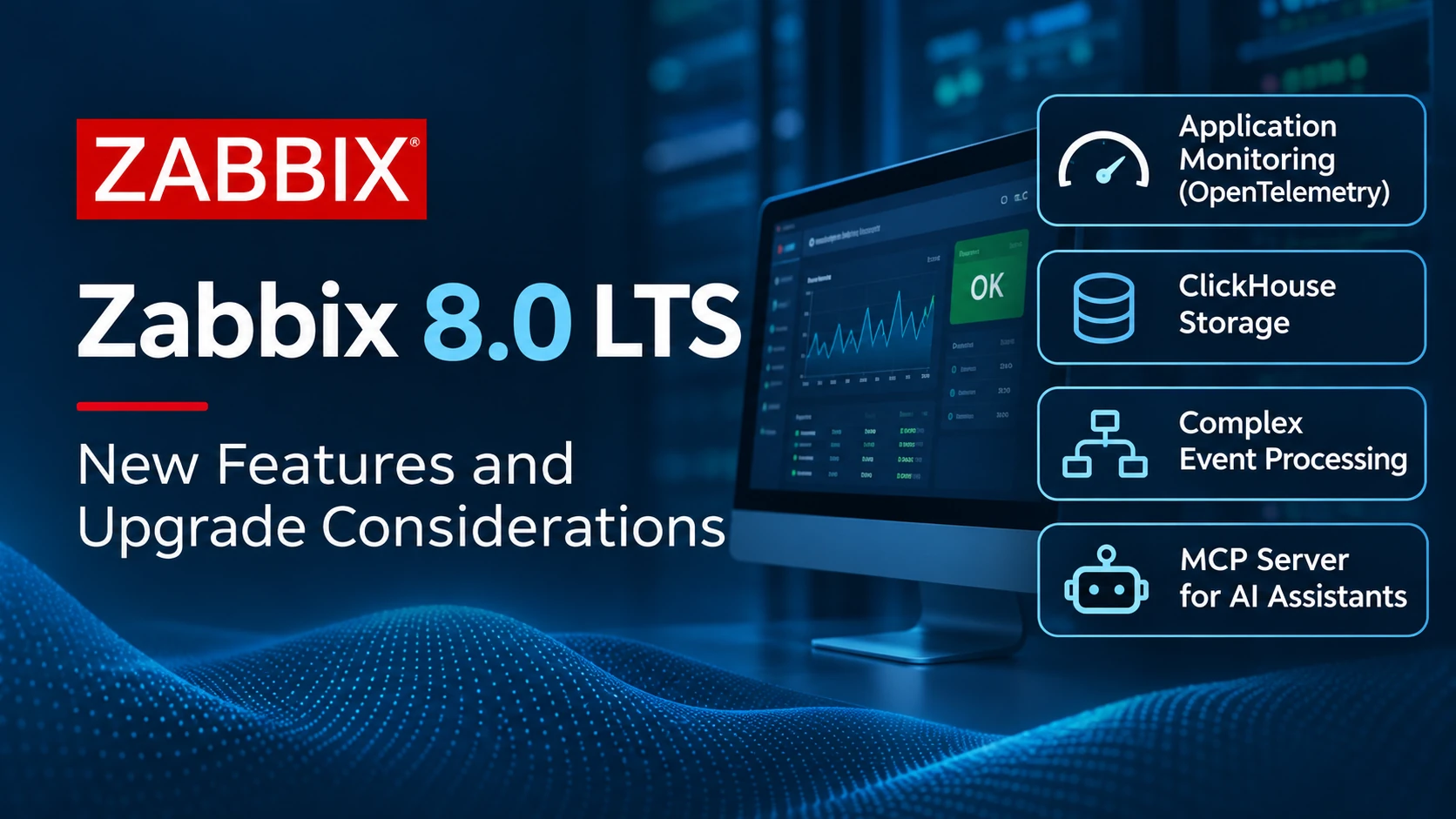
Zabbix 8.0 LTS adds OpenTelemetry-based application monitoring, ClickHouse storage, complex event processing, and an official MCP server for AI assistants. We cover the new features, the changes that can break an existing environment, and how to plan the upgrade.
Zabbix 8.0 LTS was released on November 5, 2026, introducing major new features and improvements to infrastructure and application monitoring. It is the first long-term support release since Zabbix 7.0 in June 2024.
As North America’s only Zabbix Premium Partner, we’ve gone through the 8.0 release and upgrade notes in detail. Below are the features we expect enterprise teams to care about most, followed by the checks we run before moving a customer from 7.4, 7.0 LTS, or 6.0 LTS.
Want to explore Zabbix 8.0 with the experts?
Join ATS Group and Zabbix on December 9 for a live technical webinar covering the new release, practical monitoring solutions, real-world use cases, and an interactive demo.
Zabbix 8.0 Release Date and Support Lifecycle
LTS releases get three years of full support and two years of limited support. Zabbix 8.0 LTS has full support until November 30, 2029 and limited support until November 30, 2031. Two releases many teams still run are close to the end of their support windows:
| Release | Released | End of Full Support | End of Limited Support |
|---|---|---|---|
| Zabbix 8.0 LTS | November 5, 2026 | November 30, 2029 | November 30, 2031 |
| Zabbix 7.4 | July 1, 2025 | November 12, 2026 | May 31, 2027 |
| Zabbix 7.0 LTS | June 4, 2024 | June 30, 2027 | June 30, 2029 |
| Zabbix 6.0 LTS | February 8, 2022 | February 28, 2025 | February 28, 2027 |
Source: Zabbix life cycle and release policy
Full support for 7.4 ended on November 12, 2026, and 6.0 LTS leaves limited support on February 28, 2027.
Top Zabbix 8.0 Features You Should Know
Application Performance Monitoring with OpenTelemetry
The headline feature in 8.0 is application performance monitoring (APM) built on OpenTelemetry. Zabbix proxy can now receive traces, metrics, and logs over OTLP/gRPC, either straight from instrumented applications or from an OpenTelemetry Collector. The proxy writes that data to ClickHouse, and you browse it in a new APM menu in the Zabbix frontend.
A new Telemetry query item type pulls APM data into triggers, graphs, and low-level discovery rules, so a slow checkout service can raise a problem the same way a full disk does. Access is controlled in two places: user roles decide who can open the APM section, and a new APM filter tab on user groups limits which telemetry each group can see, based on resource attributes.
Official proxy packages include APM support on Debian 12+, Raspberry Pi OS 12+, and Ubuntu 24.04+. On RHEL 10 and its derivatives, install the separate APM proxy package (for example, zabbix-proxy-mysql-apm), which needs the EPEL and CRB repositories. Exclude EPEL’s own Zabbix packages so they don’t replace the official ones. Everywhere else, you build the proxy from source with --with-apm. New OTLP templates ship with it, including Generic OpenTelemetry by OTLP, Envoy Proxy by OTLP, and Proxmox VE by OTLP.
ClickHouse Support for History and Telemetry
ClickHouse is a supported backend for item history, alongside the SQL databases and Elasticsearch. It is also the data source for APM telemetry. Zabbix publishes migration scripts for moving existing history out of MySQL or PostgreSQL into ClickHouse.
ClickHouse comes with limits worth planning around. Zabbix doesn’t calculate trends in ClickHouse, and the housekeeper doesn’t delete ClickHouse data, so retention is set with a ClickHouse TTL (31 days by default). Proxies can’t use ClickHouse for history. It requires ClickHouse 26.3 or later, or 26.8.17.4 or later for APM telemetry.
The HistoryStorageURL, HistoryStorageTypes, and HistoryStorageDateIndex server parameters are deprecated in favor of HistoryProvider, which can be set once per storage provider, and the frontend’s $HISTORY setting is replaced by $HISTORY_PROVIDERS. The old parameters still work, but you can’t mix old and new. If you run Elasticsearch for history, json is now in the default HistoryStorageTypes, so set up the JSON index and ingest pipeline described in the Elasticsearch setup guide and plan the move to HistoryProvider.
Complex Event Processing
Complex event processing (CEP) applies rules to Zabbix events as they occur. A CEP rule has conditions, operations, and an optional time window. Within that window, matching events are evaluated together, which lets you mark the first event in a burst as the cause and the rest as symptoms, cap how many events of a given kind are kept, or get notified when something happens too often or not at all.
Windows work in one of two ways. A sliding window moves forward in time, and events leave it once they are older than the window duration. A tumbling window runs for a fixed duration and then starts over, and cause-and-symptom grouping uses this type. Operations can run when an event enters the window, when it leaves, or when a pattern is found. Raising or lowering severity, adding tags, and suppressing the event are all options. For teams dealing with alert storms during network or storage outages, this is the feature we expect our customers to use first.
The Zabbix MCP Server
Zabbix 8.0 adds an official MCP server, shipped as a separate zabbix-mcp-server package, that connects AI assistants to Zabbix over the Model Context Protocol. Zabbix’s own examples include asking which database server problems are still unacknowledged, or telling the assistant to put a host group into maintenance from 22:00 to 02:00. The MCP server authenticates with a Zabbix API token. It can only see and change what that token’s user can, and every change it makes is written to the audit log under that user. We recommend creating a dedicated user and role for MCP access, with permissions scoped as tightly as any other API integration.
JSON Item Data Type
JSON is a new item data type. Before 8.0, JSON was collected as text and capped at 64KB. JSON items accept values up to 128MiB, and Zabbix rejects malformed JSON such as unquoted keys or trailing commas. Every item type except Calculated supports it. JSON items can’t be used directly in triggers. To alert on a value inside a JSON document, extract it with a dependent item that uses a non-JSON type. Existing items that return JSON strings, such as vfs.file.get, stay as text unless you change them. TimescaleDB users need to create the new history_json hypertable manually during the upgrade.
Database Availability and Performance
Zabbix server, proxy, and frontend accept a comma-separated list of PostgreSQL hosts. Zabbix tries each one in order until it gets a read-write connection. Server startup is faster on all supported databases because history for multiple items loads at once, and count-based trigger functions like count() and changecount() process values faster. Elasticsearch 8.x and 9.x support is no longer experimental.
Zabbix’s release page also advertises a 10x performance increase. Results depend on architecture and workload, so we’d benchmark against your own data before resizing any hardware.
Security Changes in Zabbix 8.0
Most of the stricter defaults in 8.0 apply only to new installations, but a few change existing environments on upgrade.
- On new installations, API access is disabled for every user role until it is granted. On existing installations, roles keep their current access, but an empty API allow list now denies all methods. The upgrade adds
*to roles in that state, so review them afterward. - New trapper items, and HTTP agent items with trapping enabled, default their Allowed hosts field to the
{$TRAPPER.ALLOWED_HOSTS}macro, which is set to127.0.0.1,::1. An empty Allowed hosts field denies all connections. The upgrade sets existing items with an empty field to allow any address, but new trapper items will rejectzabbix_senderdata from other hosts until you add them to the macro or the item. - Templates and webhook media types that connect over HTTPS verify TLS certificates by default. The new
{$HTTP.TLS.VERIFY}macro acceptsnone,peer, orfull. The upgrade doesn’t change your existing templates and media types. Verification takes effect when you import the updated versions, so confirm the endpoints’ certificates are trusted, or set{$HTTP.TLS.VERIFY}, before importing them. - Zabbix agent and agent 2 have new
AllowKeyRegexpandDenyKeyRegexpparameters for restricting item keys with regular expressions. - HashiCorp Vault supports AppRole authentication through the
VaultAppRoleIDandVaultAppSecretIDparameters. - User groups have a new proxy access list, and user roles can block users from creating hosts or discovery rules monitored directly by the server.
- SAML certificates and private keys can be imported in the frontend, and message signing is on by default for new SAML configurations.
Zabbix 8.0 Frontend and Dashboard Updates
The web interface has new fonts, rounded input fields, a dark blue theme, and inline validation on dozens of configuration forms. Tables in Monitoring > Hosts, Latest data, and Problems, along with the template and host lists, support custom layouts. You can hide, reorder, and resize columns, or add a Custom text column that shows macro values. A few filter options moved into column settings as part of this, which resets any saved filter tabs that used them.
Dashboards can be exported and imported as YAML, JSON, or XML, so you can move them between environments or keep them in version control. Other dashboard changes include:
- A new Scatter plot widget for comparing two metrics on X and Y axes.
- Marker clustering in the Geomap widget, so large maps stay readable.
- Graph widget updates, including an Invert values option and tooltips sorted by value.
- Two importable dashboards from Zabbix for multicloud costs and virtual machines across AWS, Azure, Google Cloud, and Oracle Cloud.
Maintenance periods can now apply to specific triggers or event names, and you can start on-demand maintenance directly from the event menu or the problem update form. Zabbix also announced a mobile app with push notifications. The server-side pieces (a Push notification media type, a Bridge adapter, and device management screens) are in 8.0, but the app itself is listed as “coming soon.”
New and Updated Zabbix 8.0 Templates
Zabbix 8.0 adds more than 30 new templates. A few stand out for enterprise environments:
- Claude API by HTTP and OpenAI Platform by HTTP, for tracking AI API usage.
- Kubernetes Cluster by HTTP and Kubernetes Node by HTTP, which replace the older Kubernetes templates. The old ones are deprecated but still included.
- Microsoft Hyper-V Failover Cluster by SSH and Microsoft Hyper-V Standalone by SSH, plus Podman templates for agent, active agent, and HTTP.
- Dedicated MariaDB and Percona templates for ODBC, Zabbix agent, and Zabbix agent active.
- New AWS, Azure, GCP, and Oracle Cloud templates, including GCP and Oracle Cloud cost monitoring.
- Network and security templates for Aruba CX 8300, Cisco Secure Firewall Threat Defense, Stormshield SNS, VeloCloud SD-WAN Edge, and Ribbon SBC.
The existing Windows templates now cover scheduled tasks, Windows Firewall profiles, and BitLocker volumes. The MySQL templates support both SHOW SLAVE STATUS and SHOW REPLICA STATUS, and the SNMP templates no longer raise false restart alerts when a device’s uptime counter resets. Microsoft retired the Office 365 Connector on May 22, 2026, so the old MS Teams webhook media type has stopped working on every Zabbix version. If you still use it, switch to the MS Teams Workflow webhook media type now. It doesn’t depend on the upgrade.
Agent and Data Collection Changes
On Linux, the new net.if.get key returns detailed network interface data for discovery, and vfs.dev.get does the same for block devices on Linux and AIX. vfs.fs.get gains a short mode that lists mounted filesystems without collecting space statistics, so a hung NFS mount no longer stalls filesystem discovery. The built-in OS templates have been updated to use it, and their filesystem monitoring needs Zabbix agent 8.0 or later, so upgrade agents before importing them.
In agent 2, the Ceph plugin has a native mode that talks to the cluster directly, and the older RESTful mode won’t work with Ceph 20 or newer. Ceph is also a loadable plugin that has to be installed separately, so Ceph monitoring stops after an Agent 2 upgrade until you install it. The MongoDB plugin adds replica set discovery and X.509 authentication but now requires MongoDB 4.2 or later. Oracle connections support TCPS, and Redis connections support TLS. The SNMP interface has a new Retries field for walk[] and get[] items, and Zabbix now caches SNMPv3 engine IDs between checks.
Before You Upgrade to Zabbix 8.0
Zabbix supports a direct upgrade to 8.0 from any version back to 2.0, but the database and PHP requirements have moved up, and some environments will need platform work before the Zabbix upgrade itself. These are the new minimum versions and the other changes we check first:
| Component | Minimum Version in Zabbix 8.0 |
|---|---|
| MySQL or Percona | 8.4 |
| MariaDB | 10.11 |
| PostgreSQL | 15 |
| TimescaleDB | 2.20 |
| Elasticsearch | 8.0 |
| PHP (frontend) | 8.2 |
Source: Zabbix 8.0 requirements
- Elasticsearch must be 8.0 or later, and the server won’t start on an older version.
- Oracle Database support was dropped in Zabbix 7.2. If you’re on 7.0 LTS or 6.0 LTS with an Oracle backend, you’ll need to migrate to MySQL, MariaDB, or PostgreSQL first.
- The Zabbix requirements page warns that PHP versions earlier than 8.2.35, 8.3.36, 8.4.27, and 8.5.12 are affected by CVE-2026-109618 and CVE-2026-109619, the PHP2Shell vulnerabilities. Distribution packages often backport the fix without changing the version number, so check your package changelog for those CVE IDs.
- If your MySQL database still uses
utf8mb3, Zabbix strongly recommends converting it toutf8mb4before upgrading. - An 8.0 server works fully with 8.0 proxies. Proxies on 7.0 through 7.4 keep collecting data and running remote commands, but they can’t receive configuration updates. Proxies older than 7.0 are not supported at all. An upgraded proxy that uses SQLite deletes its old database file and creates a new one, so any history still stored in that file is lost.
- Long-deprecated macros such as
{HOSTNAME},{IPADDRESS},{TRIGGER.KEY},{USER.ALIAS}, and the{ACK.*}macros are gone. Check custom templates, actions, and scripts for them. - Several API methods were removed, including
hostinterface.create,hostinterface.update,hostinterface.delete,hostinterface.massadd,hostinterface.massremove, and the host, host group, template, and template groupmassupdatemethods. Check scripts and integrations that call them before upgrading. - Pre-1.6 agents are no longer supported, and the
%character was added to the UnsafeUserParameters list. - Custom themes or media types named after the new built-in ones must be renamed before upgrading.
Database upgrades on large installations can take a long time. Test the upgrade on a copy of production data first so you know how long your maintenance window needs to be. Zabbix publishes step-by-step upgrade instructions for RHEL and Debian/Ubuntu packages, containers, and source installs. The full list of changes is in the Zabbix 8.0 release notes and upgrade notes.
Should You Upgrade to Zabbix 8.0?
In every case, start on the latest 8.0.x minor release and upgrade proxies right after the server. Zabbix recommends upgrading agents too, though it isn’t required.
If You’re on Zabbix 7.4
Plan the upgrade now. The jump from 7.4 to 8.0 is the smallest of the three, and most of the work is meeting the new database and PHP minimums.
If You’re on Zabbix 7.0 LTS
You have until June 2027 before full support ends, which is enough time to test properly. Because you’re skipping 7.2 and 7.4, read the upgrade notes for those releases as well as 8.0. Check your database version, confirm you aren’t on Oracle, and stage the upgrade in a non-production environment before scheduling it. If APM or ClickHouse are part of your plans, design for them during the upgrade so you only change the architecture once.
If You’re on Zabbix 6.0 LTS or Older
Limited support for 6.0 ends February 28, 2027. A direct upgrade is supported, but you’re crossing several major releases at once, often with an operating system, database, and PHP upgrade in the same project. Treat it as a migration project with its own test plan.
Have Questions About Zabbix 8.0?
If you’re evaluating the new release or planning an upgrade, join ATS and Zabbix for our webinar. You’ll hear directly from the experts, see practical applications, and have an opportunity to ask questions during the live Q&A.
Need Help Upgrading to Zabbix 8.0?
ATS Group has designed, upgraded, and supported Zabbix environments for enterprises across North America. Our Zabbix services include:
- Upgrade planning and execution, including database and platform upgrades
- Custom Zabbix architecture, including APM, ClickHouse, and high-availability design
- Fully managed Zabbix Monitoring, hosted in AWS, where your team only deploys a lightweight Zabbix proxy
- Flexible Zabbix support and expert-led Zabbix training
We know Zabbix inside and out, and we’re here to help you get the most from 8.0.
Let’s Talk. Schedule time with a Zabbix expert